Takeaway Pickup Screens: What to Show at the Collection Counter
A takeaway pickup screen should tell customers where to collect, what information to have ready and how staff will call their order. Keep those instructions visible. Only show live order numbers, readiness or wait times if a suitable system and operating process have actually been confirmed.
Someone collecting dinner has a different question from someone choosing a meal. They want to know whether they are standing in the right place and what happens next. Giving them the full menu again may leave that question unanswered.
For a Melbourne takeaway with counter orders, online collections and delivery riders arriving together, start with the collection process. Then decide whether a screen adds something useful to the space.
Give the pickup screen one clear job
Walk through your shop as a first-time customer who has already ordered. Where would you stop? Can you identify the collection point without joining the ordering queue? Can you tell whether to speak to staff or wait to be called?
Write down the instruction you currently repeat most often. That is a useful starting point for the screen brief. It might be “collect at the right-hand counter” or “please have your order number ready”. Use wording that matches what your staff actually do.
The VicDisplays takeaway display service can assess ordering and pickup areas during a site inspection. Position, hardware and suitability are proposed around the premises, rather than assuming every shop needs an extra screen.
Separate directions from live order tracking
A finished graphic saying “Pickup here” is different from a display showing which orders are ready. The first communicates a standing instruction. The second needs accurate, changing information from an agreed source.
Do not assume a managed signage package connects to your POS, ordering platform or kitchen system. Before requesting a live status board, establish:
- Which system supplies the order information.
- Who marks an order ready and when.
- Whether the proposed connection is supported.
- What customers see if the connection stops working.
- Who supports each part and what the quote includes.
Without that confirmed arrangement, use approved collection instructions. Avoid a decorative “ready” list or a fixed wait-time promise that looks like real operational data.
Write instructions customers can act on
Keep the main message short enough to understand at a glance. Put the action first and supporting information below it. The following are illustrative copy options, not statements about a particular shop:
For orders called by number
PICKUP HERE
Please have your order number ready.
We will call your number when your order is ready.
For a separate online collection point
ONLINE ORDER COLLECTION
Please show your order confirmation to our team.
Choose the version that fits your service. Combining both without a clear reason can give people conflicting instructions. If riders use a different handover point, name it plainly and make sure the direction matches the physical counter.
Avoid putting personal customer details into a general artwork file. A collection instruction usually needs no names, phone numbers or addresses.
Keep directions visible during promotions
If the screen also shows offers, decide which information must remain available throughout. A customer should not need to watch a promotion loop to discover where to collect.
Ask your designer whether the instruction can stay in a fixed part of the layout. If that makes everything too small, simplify the content or discuss a separate sign. Adding a display is one option, not a requirement.
Use text as well as colour for meaningful labels. W3C guidance on use of colour explains why colour alone should not carry information. Although written for web accessibility, the same practical principle helps here: a purple collection area still needs the words “Order collection”. This is a design consideration, not a claim that a screen meets an accessibility standard.
Brief your designer with the real counter layout
Provide a photograph showing the intended screen position, the collection counter and the route customers take. Identify the standing position from which the instructions need to be read.
Supply the exact approved wording and explain which message must stay visible. Confirm the required dimensions, orientation and file format with the display team before export. A menu layout made for the ordering counter may not suit this different task.
VicDisplays supplies, installs, configures and manages the commercial display system. Your team or designer provides the finished approved artwork. The written proposal defines the file handover, agreed changes and support. The pricing page explains how the screen setup and service terms are confirmed in the quote.
Check the collection experience before opening
Use this temporary checklist while standing where customers will wait. Ticks are not submitted or saved after refreshing the page.
Ask a colleague who did not write the brief to try collecting an imaginary order. If they hesitate, ask what information was missing. Adjust the approved artwork or the physical direction, then check again during normal service conditions.
Pickup screen questions
Will a pickup screen automatically show ready orders?
No such connection should be assumed. Live order status requires a supported source of information and an agreed workflow. Confirm any integration separately before planning the screen around it.
Can the same screen show a menu and collection directions?
Possibly, if both remain clear from the relevant viewing positions. Keep essential collection instructions available and review the layout on site before deciding how much content to include.
Does VicDisplays create the pickup artwork?
No. Your takeaway or designer supplies the finished approved files. VicDisplays handles the display system and agreed publishing within the written service scope.
Plan a clearer collection point
Tell VicDisplays about your Melbourne takeaway, where customers order and where they collect. A free site inspection can help assess whether a screen suits the space and what the setup would involve.
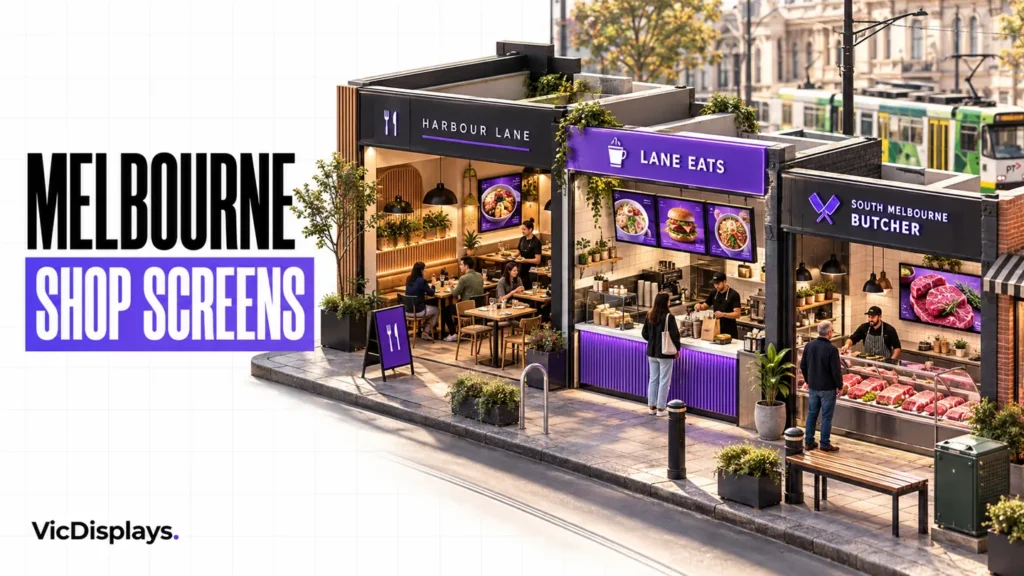
Cover image: AI-generated illustrative concept, not a client installation. Service details checked on 30 October 2026.